riderinstinct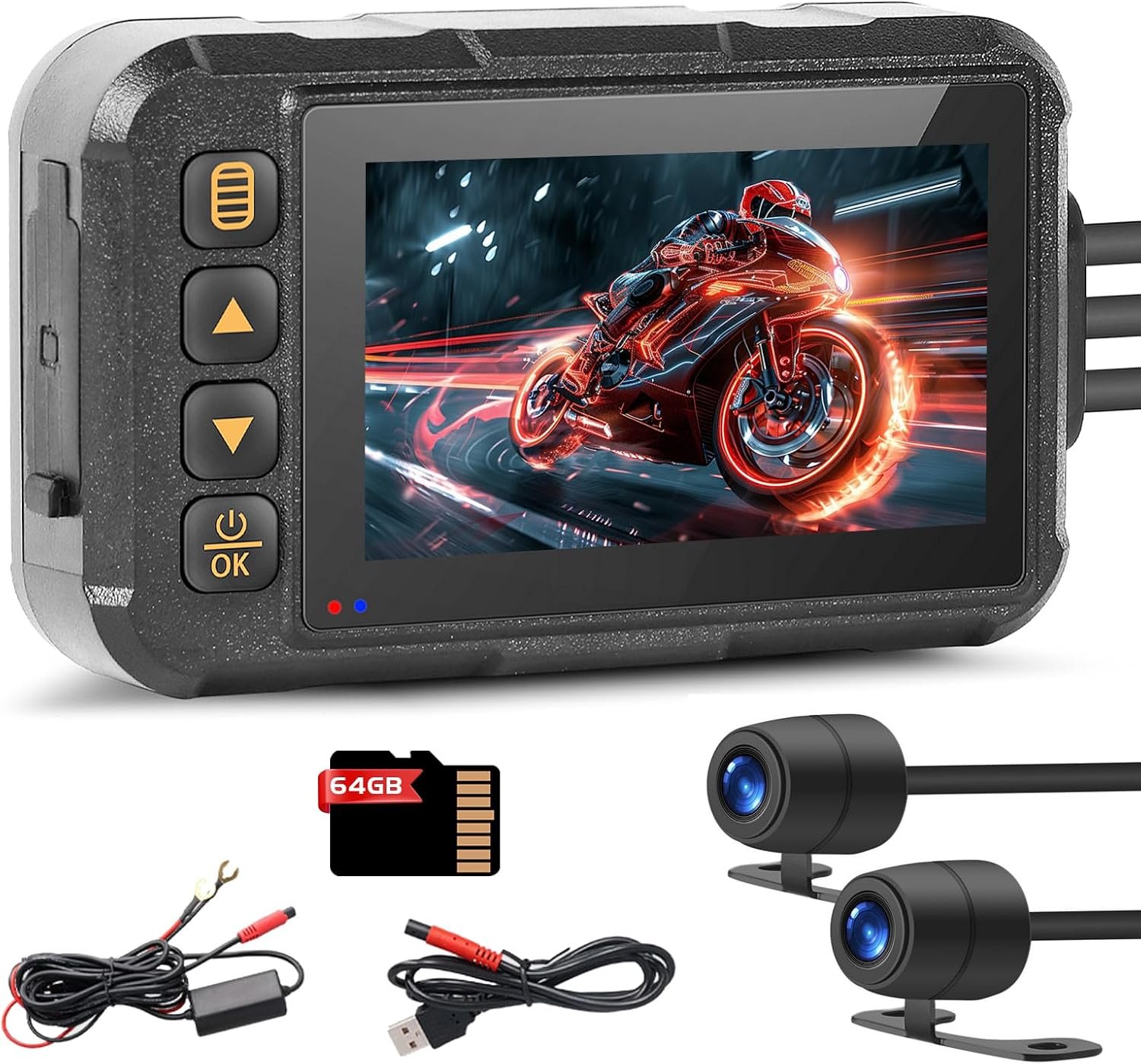
Why choose a dash cam for your motorcycle — and how to frame the decision
Think of a motorcycle dash cam as two different tools: a portable action camera you can take with you, or a permanently‑installed recorder that protects the bike 24/7. Your rider profile determines which side of that divide is the best fit.
Start by asking: Do I need continuous, unattended protection (24/7 parking monitoring)? Do I want to move the camera between bikes or helmets? Am I a commuter who needs automatic incident locking, or a vlogger who needs the highest possible image quality and framing? Those questions point to the primary trade‑offs:
- Portable/battery cameras — easy to move between machines, quick‑attach mounts, no hard‑wire installation. Good for multi‑bike owners and vloggers. Trade‑off: limited continuous power for parking mode unless you add a hardwire kit or external power bank.
- Hard‑wired front/rear systems — built for continuous recording and parking monitoring, typically more discreet and weatherproof. Trade‑off: installation complexity and higher theft risk for permanently mounted exterior components.
Only after you pick power/install type should you evaluate the other features: stabilization, low‑light performance, field of view, and the software/phone experience. That order keeps the decision practical and avoids buying a technically great camera that doesn’t fit your use case or bike.
Power and installation: battery vs plug‑and‑play vs hard‑wired
Power arrangement defines what a camera can do. There are three common approaches and each fits a different rider:
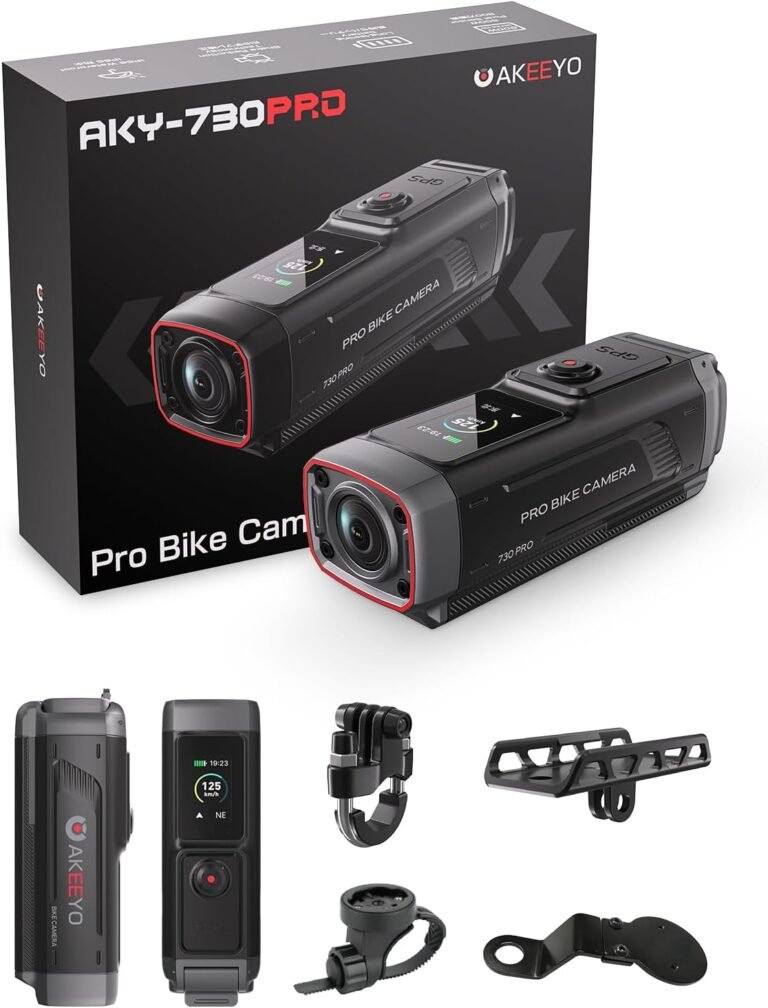
- Battery‑first, portable units are sold as self‑contained cameras with long internal batteries. They’re ideal for riders who move cameras between bikes or want a theft‑deterrent they can pocket. Example: the AKEEYO AKY‑730Pro is presented as a battery‑first device with large internal battery capacity and quick‑release mounts — good for multi‑bike use or vloggers who don’t want wiring on every machine.
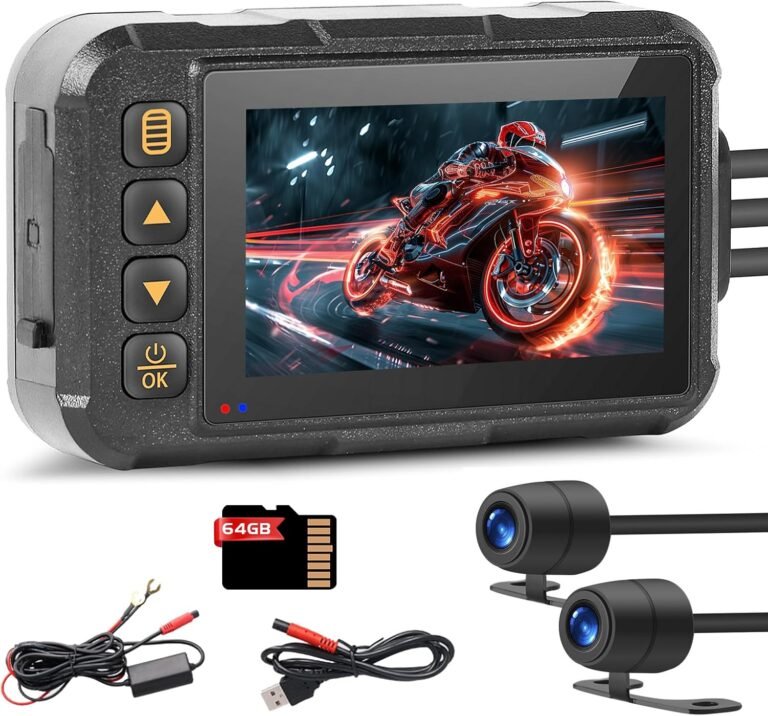
- Plug‑and‑play/aux power (12‑24V step‑down) uses a step‑down cable to draw power from a vehicle socket or accessory circuit without hard‑wiring. These can offer continuous power if the motorcycle has a switched accessory feed. The “Motorcycle Dash Cam with Dual Front and Rear Cameras” listing explicitly mentions a 12‑24V to 5V step‑down cable and a simple wiring bracket for many bikes, which can make installation quicker for riders who don’t want a permanent hard‑wire job.
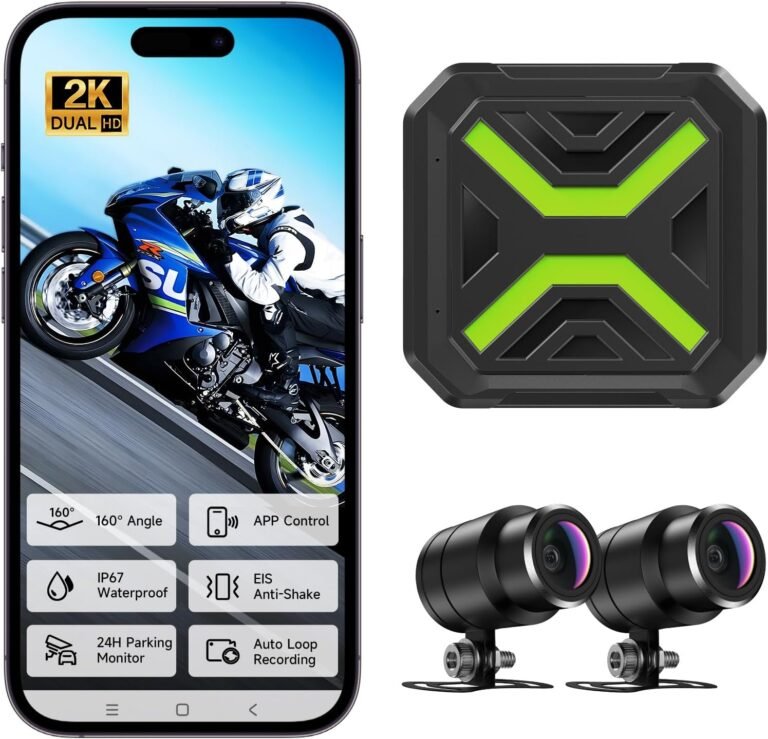
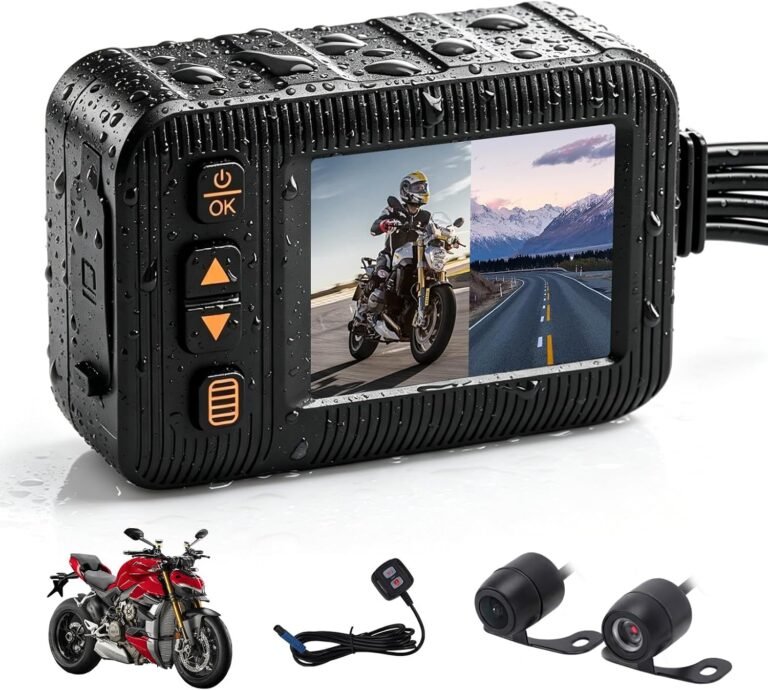
- Hard‑wired systems are wired into the bike’s battery or switched circuits to support true 24/7 parking mode and uninterrupted front/rear recording. Products like the Dual 2K motorcycle dash cam in the listing show features for 24H parking monitoring and typically require professional or careful DIY hard‑wiring. Hard‑wired is the choice for commuters and riders who leave the bike parked on the street and want continuous surveillance.
Important verification step: before buying, check the product listing for what power accessories are included (hardwire kit, step‑down cable, cigarette style plugs) and confirm your bike’s accessory wiring and voltage. If the listing doesn’t state power draw or exact wiring details, verify with the manufacturer or your mechanic.
Video capture and evidence quality: more than just megapixels
Resolution is easy to compare (2K, 4K), but it’s not the whole story. For footage to be useful to police or insurers, you want readable license plates and faces, consistent exposure in high contrast scenes, and frames that aren’t ruined by vibration.
- Sensor and aperture — low‑light performance depends on the sensor and aperture. The AKEEYO 710Lite lists an F2.0 aperture and 2K capture which improves night capture relative to a smaller aperture; the AKEEYO-710Pro and AKY‑730Pro claim Starvis‑style or Sony Starvis 2 sensors and stronger low‑light imaging on their listings.
- Resolution and frame rate — higher resolution (4K) helps when you want detail or plan to crop, but higher frame rates (60fps) reduce motion blur. The AKY‑730Pro listing advertises 4K and high frame options; the 710Pro lists native 2K at 55fps with upscaling to 4K at lower frame rates. Choose based on whether you prioritize detail (resolution) or smoother motion (frame rate).
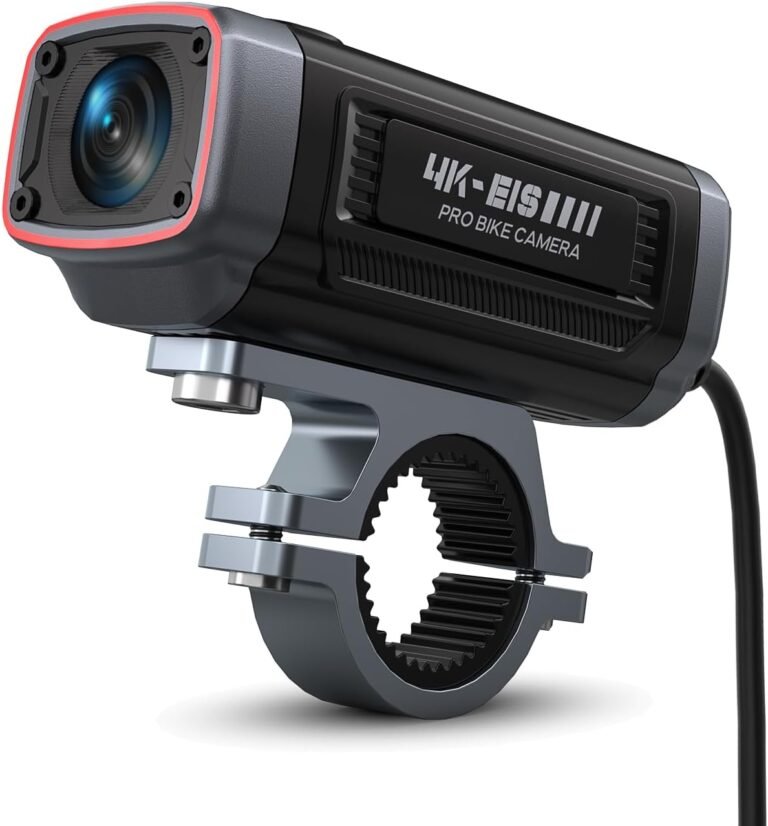
- Stabilization (EIS) — electronic image stabilization is critical on a motorcycle to reduce shake. Several products in the listing (the Dual 2K unit, AKEEYO models) call out EIS; prefer models that explicitly list anti‑shake capability if you ride rough roads.
- Field of view (FOV) — a wider FOV (e.g., 142–160°) covers more lanes but can introduce plate distortion near the edges. The Dual 2K camera lists a 160° lens to minimize blind spots; the 710‑series list 122–142° depending on model.
Bottom line: match sensor size/aperture and stabilization to your typical riding conditions. For night commuters prioritize listed Starvis/Sony‑type sensors or larger aperture numbers; for high‑speed or off‑road use prioritize EIS plus higher frame rates.
Mounting, weight and fit: where the camera lives matters
Mount location influences vibration, theft risk and field of view. There are three common mounting strategies:
- Handlebar/mirror mounts — quick to install and good for forward view; watch for vibration. The AKEEYO AKY‑730Pro and AKEEYO 710 series include multiple mounts including mirror stem or U‑bolt types to reduce vibration and allow flexible placement.
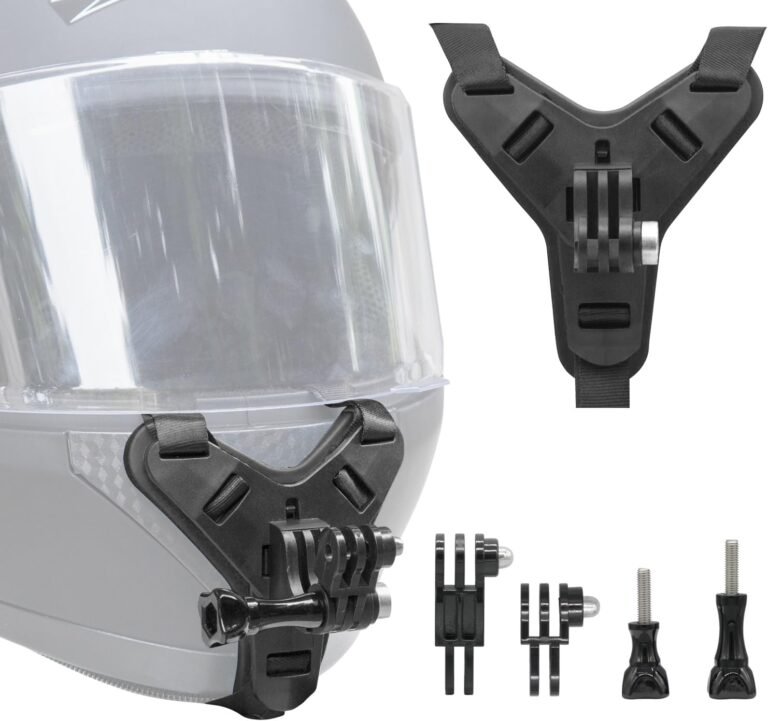
- Helmet or small head units — best for rider POV and vlogging. Many helmet mounts rely on adhesive or clamp hardware; verify weight and aerodynamic drag for your helmet model. The AKEEYO‑710Pro describes helmet mounting options in its listing.
- Hidden/under‑seat units with remote cameras — used by hard‑wired front/rear systems for a discreet install and theft reduction. The Dual 2K listing states the compact camera unit fits discreetly and mentions hard‑wired installation requirements.
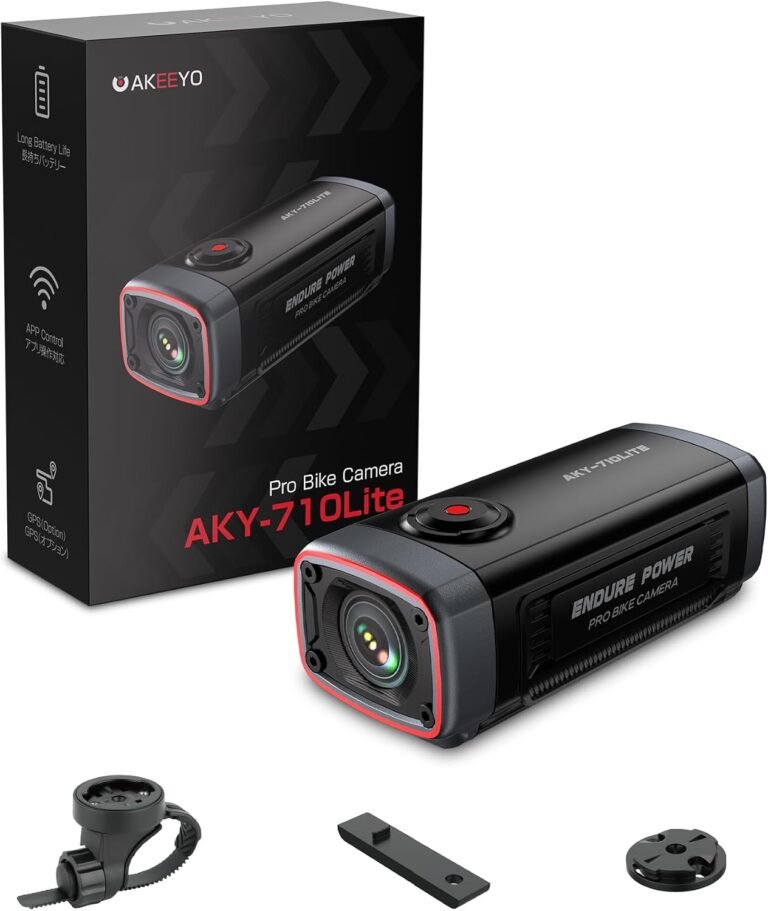
Weight matters: very light main units (for example, the AKEEYO 710Lite lists a 99 g main unit) reduce handlebar/dynamic vibration and are easy to carry when you leave the bike. Always verify that the mount design and listed weight fit your motorcycle and intended mount point — manufacturer claims aren’t a guarantee of perfect compatibility.
Useful features that change the ownership experience
Certain features make everyday use much smoother:
- Parking mode and G‑sensor — locks impact footage and activates recording on motion. Hard‑wired or systems with a dedicated hardwire kit are usually required for 24/7 parking mode. Many listings in our set (Dual 2K, AKEEYO models, and the dual front/rear 3″ unit) explicitly include parking/G‑sensor functions; check whether the camera includes a hard‑wire kit or if that is an extra.
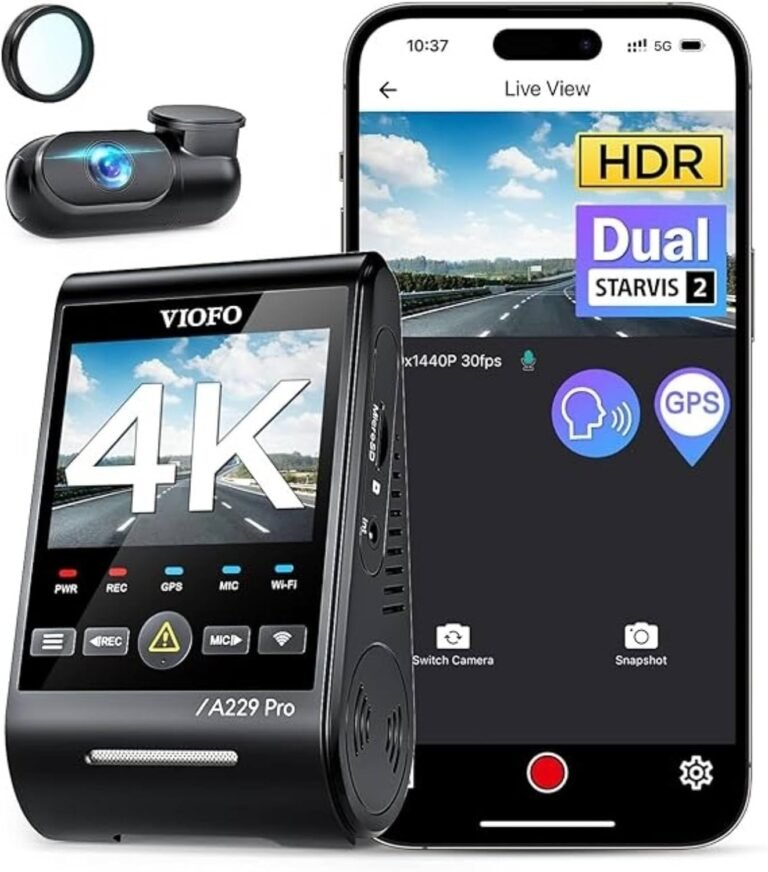
- Wi‑Fi and app control — lets you preview and download clips to your phone. The AKEEYO 710Lite and other AKEEYO models call out Wi‑Fi + app functionality. Note that some listings warn about phone permissions and 2.4GHz vs 5GHz behavior — follow the app setup notes to avoid connection problems.
- Built‑in GPS — embeds location/speed for evidence and logging. Some models here list GPS as built‑in (AKY‑730Pro) or available via optional module (710Lite), while others include GPS in their feature set — confirm whether GPS is built in or sold separately.
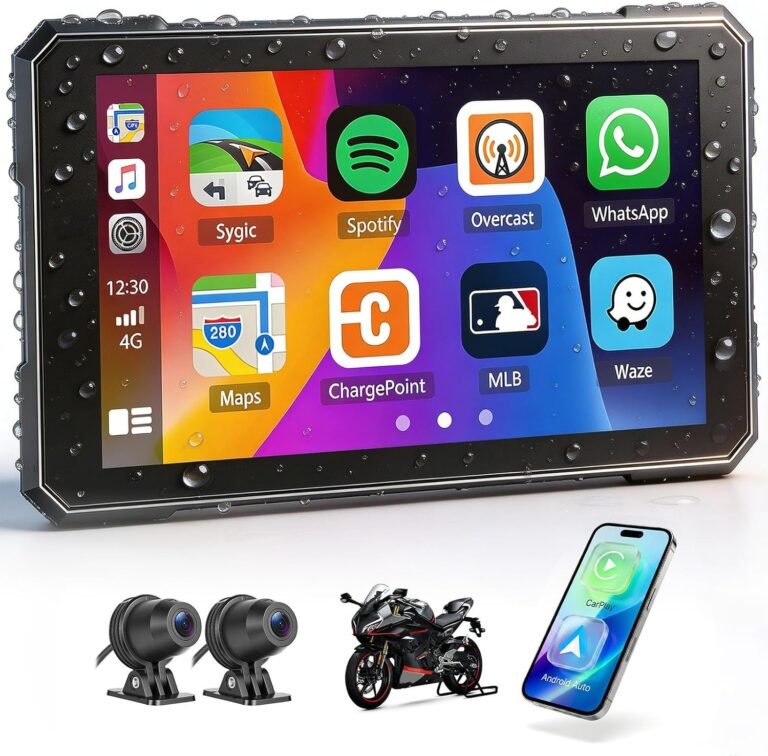
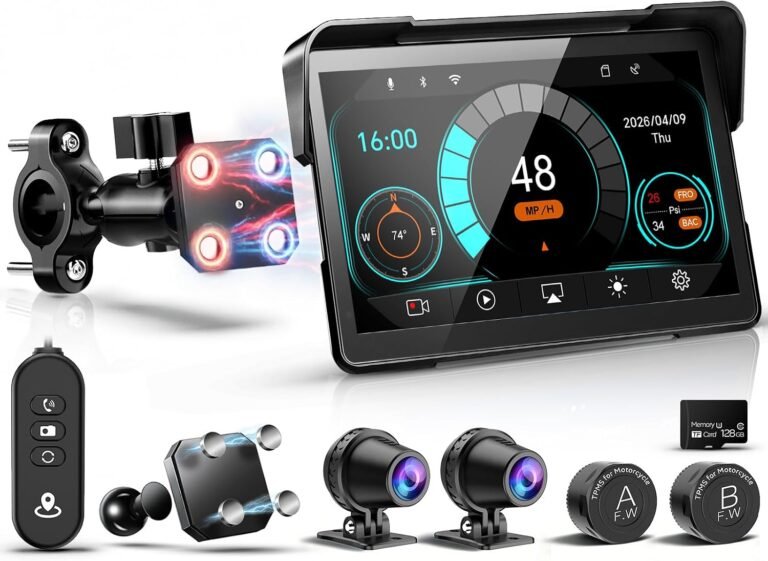
- Additional sensors — TPMS support and CarPlay/Android Auto are niche but useful. The 5″ CarPlay/Android Auto unit in the listings supports wireless CarPlay/Android Auto and even TPMS readiness (sensors sold separately) — useful if you want navigation and tire pressure monitoring integrated with your dash cam screen.
Given these features can be sold as optional accessories, always confirm what’s in the box: memory card, hardwire kit, mounts, GPS module, etc.
Durability, weatherproofing and storage: practical long‑term concerns
Motorcycle cameras face weather, vibration and theft more than car units. Look for an explicit IP rating and a robust mounting system.
- IP rating — IP66 and IP67 are common in the listings. The Dual 2K and the 3″ dual front/rear unit list IP67, while several AKEEYO models show IP66 or IP66‑equivalent protections. IP67 is better for immersion scenarios; IP66 is strong for rain and dust. Neither rating guarantees lifetime waterproofing — follow the manufacturer maintenance suggestions and seals.
- Storage and memory cards — some models include a card (AKEEYO‑710Pro and the 3″ dual front/rear claim a 64GB card included), others do not (710Lite, AKY‑730Pro note microSD not included). Confirm the maximum supported card size and UHS class. If the listing is silent on card class or mounting clearances, plan to buy a high endurance Class 10/UHS‑I card designed for dash cams.
- Thermal limits — cameras can overheat or fail in extreme temps. Product pages occasionally list operating ranges; if absent, ask the manufacturer or verify with seller documentation, especially if you ride in very hot or cold climates.
Match camera types to rider profiles — practical recommendations and limitations
Use the power/install decision and the features above to pick cameras that suit your riding style. The following suggestions are grounded in the product listings supplied; each note flags limitations you should verify before purchase.
- Best for commuters who want 24/7 protection: choose a hard‑wired front/rear system that explicitly lists parking mode and a hardwire kit. The Dual 2K Motorcycle Dash Cam (listing) calls out 24H parking monitoring, EIS stabilization, IP67 weatherproofing and a requirement to hard‑wire the unit — a good fit if you want continuous protection. Limitations: it requires hard‑wiring and you must supply a microSD card up to 128GB.
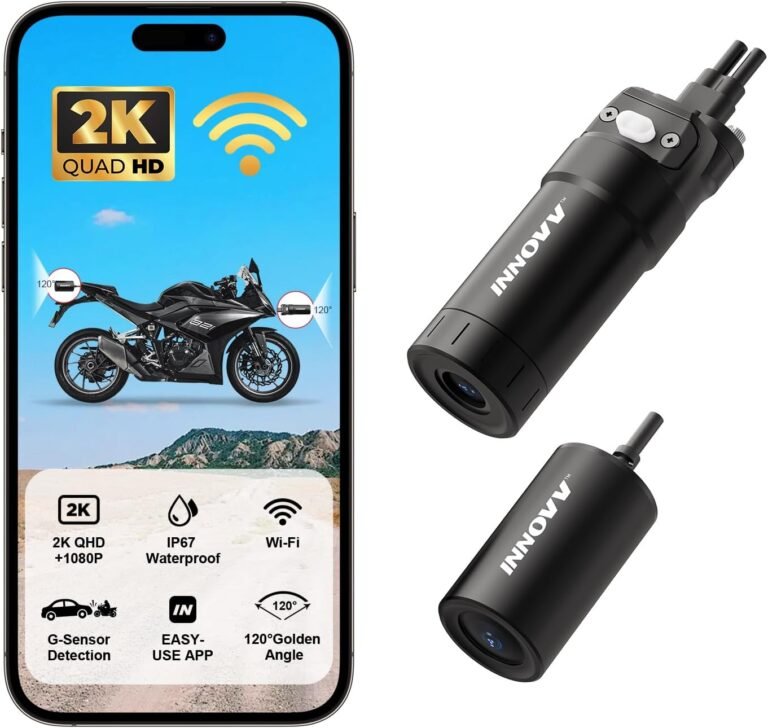
- Best for multi‑bike owners and vloggers: prefer a battery‑first, quick‑release unit with multiple mounts. The AKEEYO AKY‑730Pro is marketed as a portable, battery‑powered 4K/60 camera with magnetic quick‑release and a comprehensive mount kit — designed for quick transfer between bikes. Limitations: it’s a battery‑first design (not optimized for continuous 24/7 recording) and the microSD card is not included; verify the magnet/mount strength for your speed and mounting position.
- Best value for balanced riders (commute and occasional travel): mid‑range models that include a card and parking features. The AKEEYO‑710Pro lists EIS, Starvis‑type sensor, a 64GB card included, multiple mounts and 24H parking features — a balanced choice for riders who want strong low‑light performance and out‑of‑the‑box readiness. Limitations: connectivity/band details in the listing are inconsistent — follow the app setup notes and confirm mount fit for your helmet or bars.
- Best for riders who want a simple plug‑and‑play dual cam: look for units that include a step‑down cable and mounting bracket. The dual front/rear 3.0″ motorcycle camera listing highlights a 12–24V to 5V step‑down cable, universal adjustable bracket and an included 64GB card — useful if you don’t want to hard‑wire but want dual coverage. Limitations: confirm the bracket and cable fit your machine and whether the unit’s screen obstructs your cockpit sightlines.
- Best if you also need navigation/phone integration: consider the 5″ CarPlay/Android Auto unit in the listings if you want wireless CarPlay, Android Auto and a larger touchscreen; note smartphone compatibility and that TPMS sensors are sold separately. Limitation: these units are larger and change how your cockpit looks; check waterproof claims and screen readability in bright sun.
These are starting points — always verify the seller’s installation instructions and the exact list of included items before you buy.
Before you buy: a practical verification checklist and installation tips
Before checking out, confirm these items so installation and daily use go smoothly:
- Verify what’s included in the box: memory card, hard‑wire kit, mounts, GPS module — don’t assume any one of these is guaranteed unless the listing states it.
- Confirm power options and voltage: does the unit need hard‑wiring for parking mode? Is a step‑down cable supplied for 12–24V systems? Match that with your motorcycle’s battery and accessory circuits.
- Check mount fit and weight: confirm the clamp/bolt sizing and the camera weight (for the AKEEYO 710Lite the main unit weight is listed at 99 g). If dimensions aren’t listed, contact the seller or measure your intended mount point before buying.
- Read the app setup notes: Wi‑Fi and phone permissions can block connectivity. Several product listings warn about app permissions and 2.4GHz vs 5GHz behavior — follow the manufacturer guidance for a stable connection.
- Choose a high‑endurance microSD card of the recommended class and size for continuous recording, or buy a model that includes one (some AKEEYO models list a 64GB card included).
Installation tip: if you’re not comfortable hard‑wiring, use a pro installer or choose a plug‑and‑play unit with a step‑down cable. Incorrect wiring can drain your battery or bypass important fuses; when in doubt, consult your motorcycle’s service manual or a technician.